
NBI Clearance Renewal Online
NBI Clearance is valid for one year from the date it is issued, so you’ll need to renew it once it expires.
If you’re renewing an old or expiring clearance, you can complete the process online. For residents of NCR,
the renewed clearance can even be delivered straight to your doorstep.
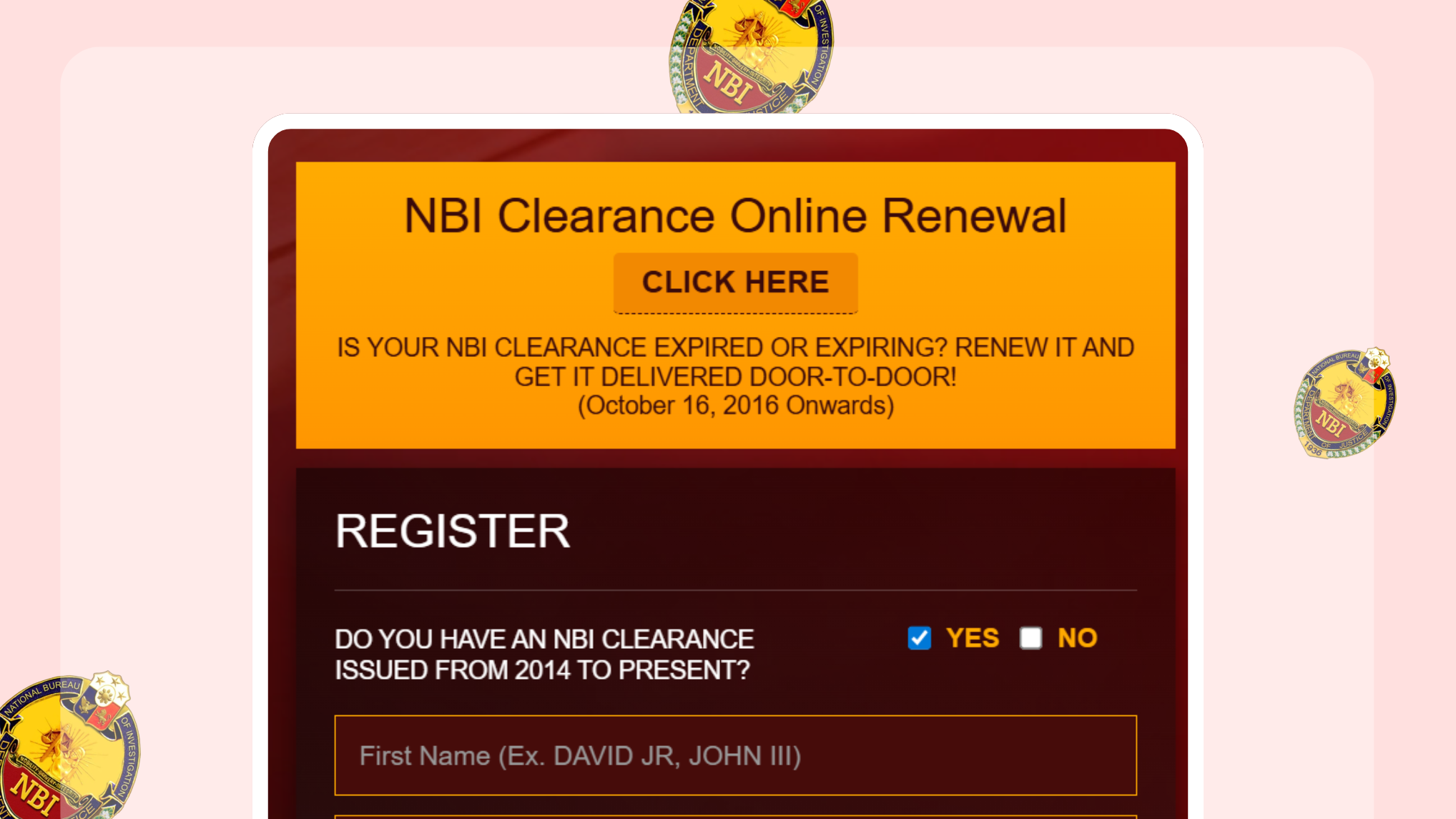
There are two ways to renew your NBI Clearance online, depending on the issue date of your previous clearance. The renewal fee starts at ₱130, plus additional service charges.
1. Door-to-Door Online Renewal
You can avail door-to-door delivery only if your NBI Clearance was issued or has expired from October 16, 2016 onwards.
This option (NBI Clearance online renewal) allows you to renew online and have the document delivered to your home.
2. Regular Online Renewal (With Branch Pickup)
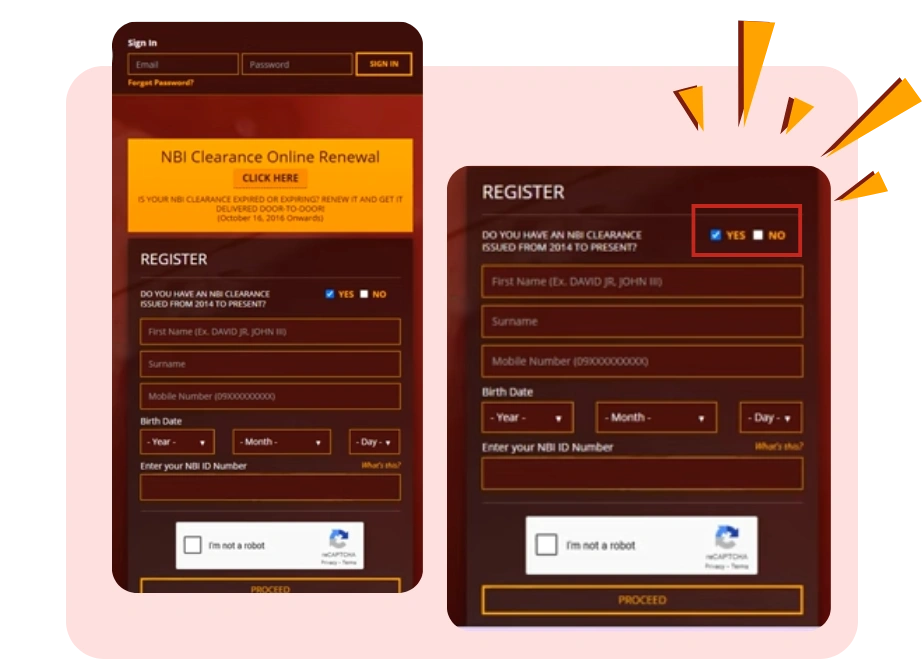
If you have an NBI Clearance issued from 2014 up to the present, you can still renew online, but you need to register and choose a branch for pickup.
This option does not include door-to-door delivery.
Choose the NBI Clearance renewal method that matches your NBI issuance year and your situation.
Door-to-Door Online Renewal
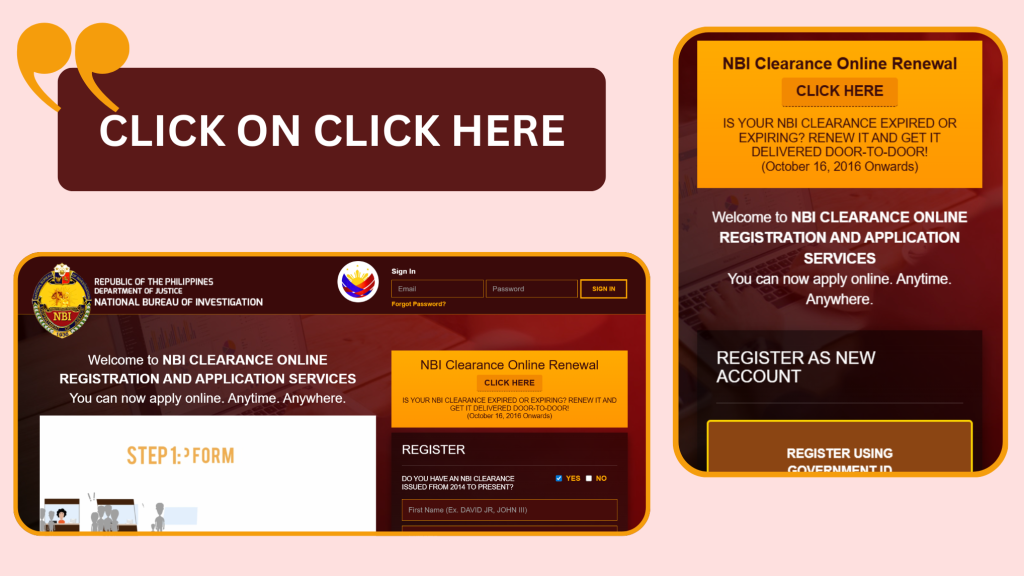
1: Visit the Official NBI Website
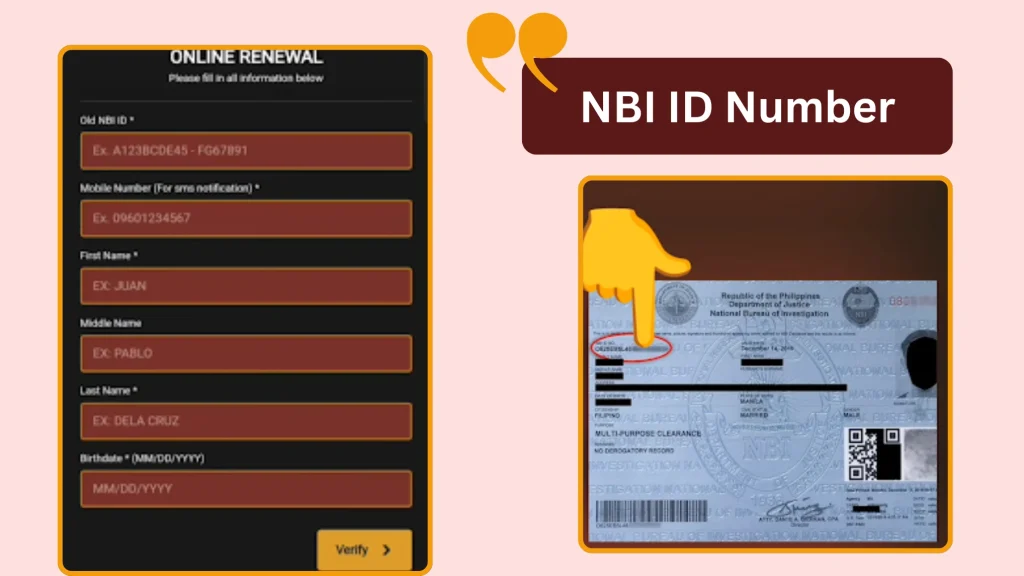
2: Fill Out Your Personal Information
For door-to-door renewal, enter the following details:
Important:
Do not throw away your expired NBI Clearance — you will need the old ID number.
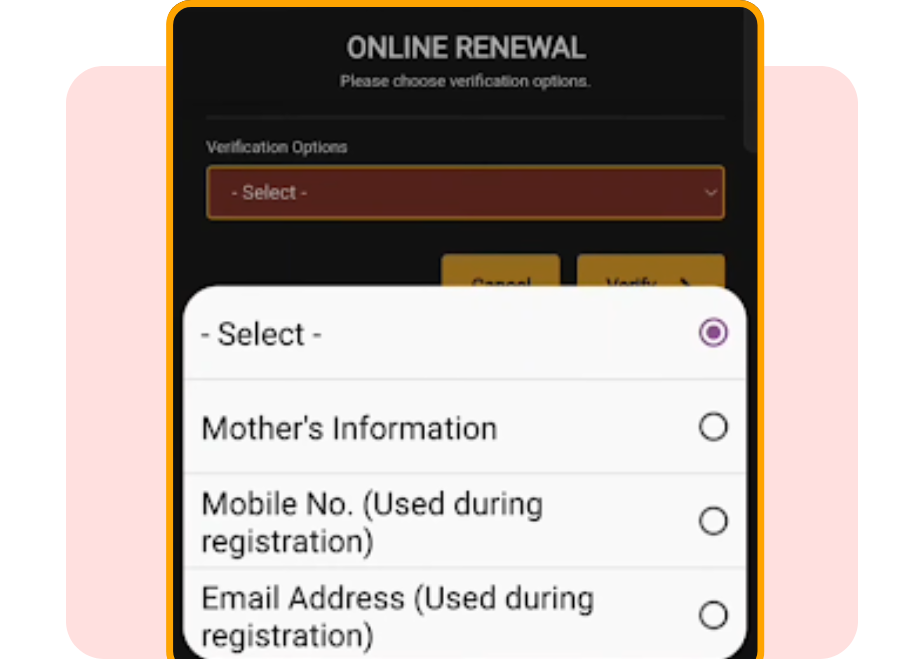
3: Verification Options
- Under Verification Options, select the information you used when you first registered with NBI online.
- You will see three verification choices.
- For example, choose “Mother’s Information”, then enter your mother’s full maiden name and her birthplace.
- If you are not sure, choose another verification method like your registered cellphone number or email address.
- After entering the required details, click Verify.
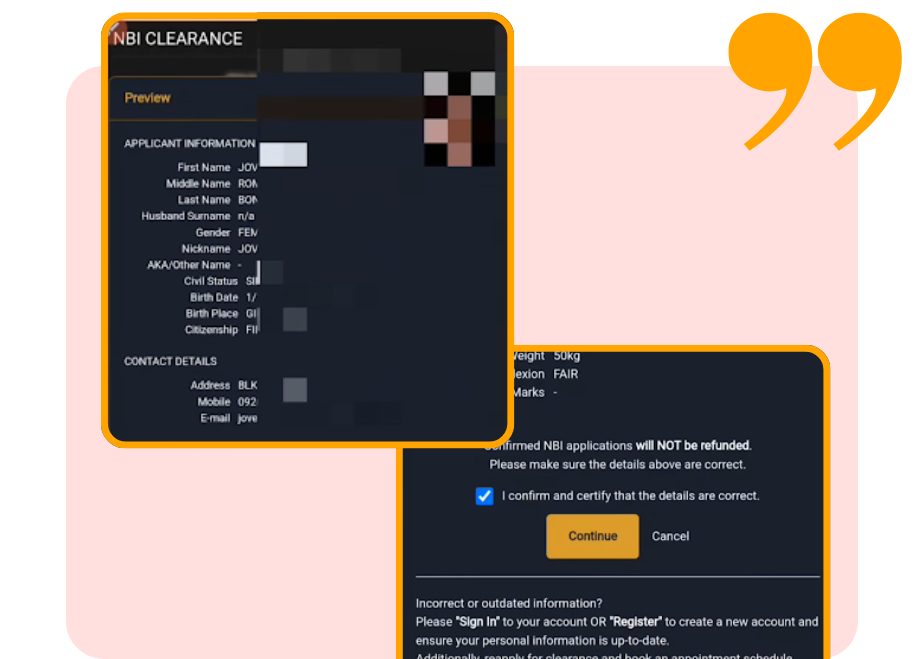
4: Review information
- If the details match, your personal information will appear.
- Review everything carefully.
- If something needs to be corrected, update them there.
- If all details are correct, check the box and click Continue.
5: Agree to Terms
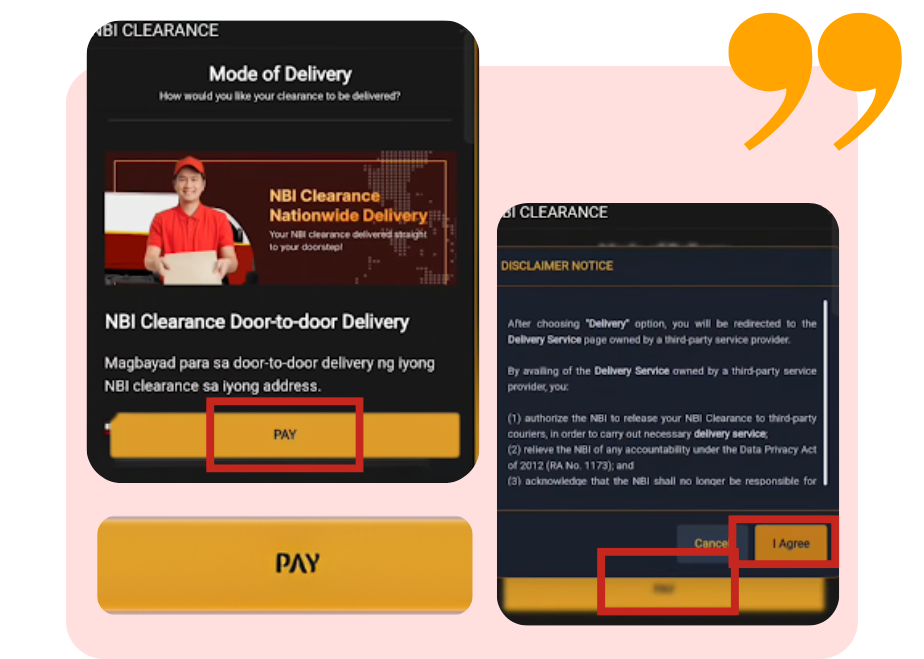
- Next, click Pay, then select I Agree.
- Scroll down to the bottom of the Terms and Conditions page and click Agree.
- After confirming, click Proceed.
Note:
Door-to-door delivery is currently available only in NCR.
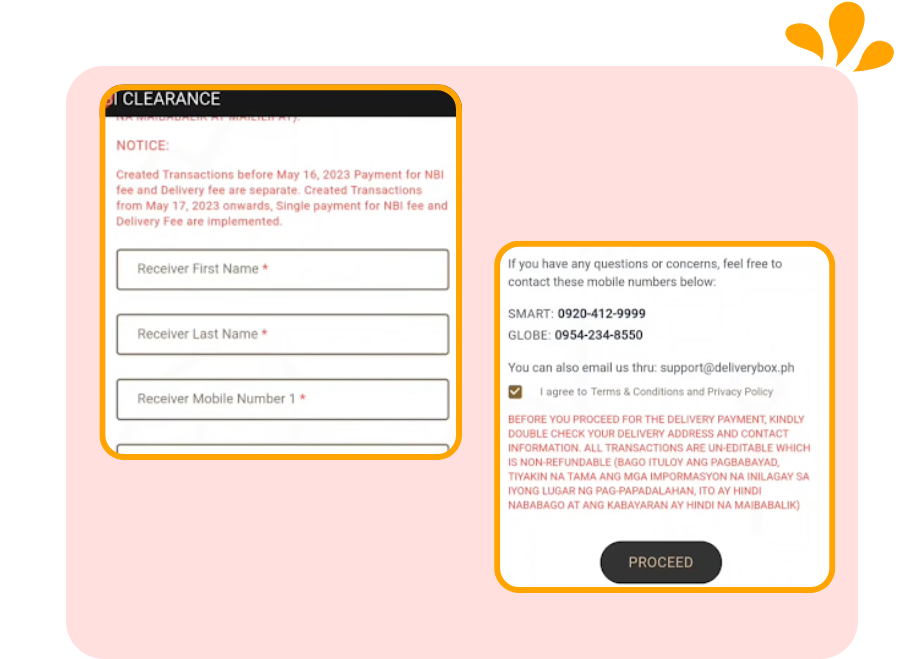
6: Provide Delivery Information
Enter the following:
- Receiver’s Full Name
- Mobile Number
- Building Type
- Province / City / Municipality
- Barangay
- ZIP Code (Search on Google if unsure)
- Complete Address (Street, landmarks, etc.)
- Optional: Pin your exact location on the map
- After reviewing, click Proceed.
Reminder:
Delivery fees are non-refundable. Double-check all details before submitting.
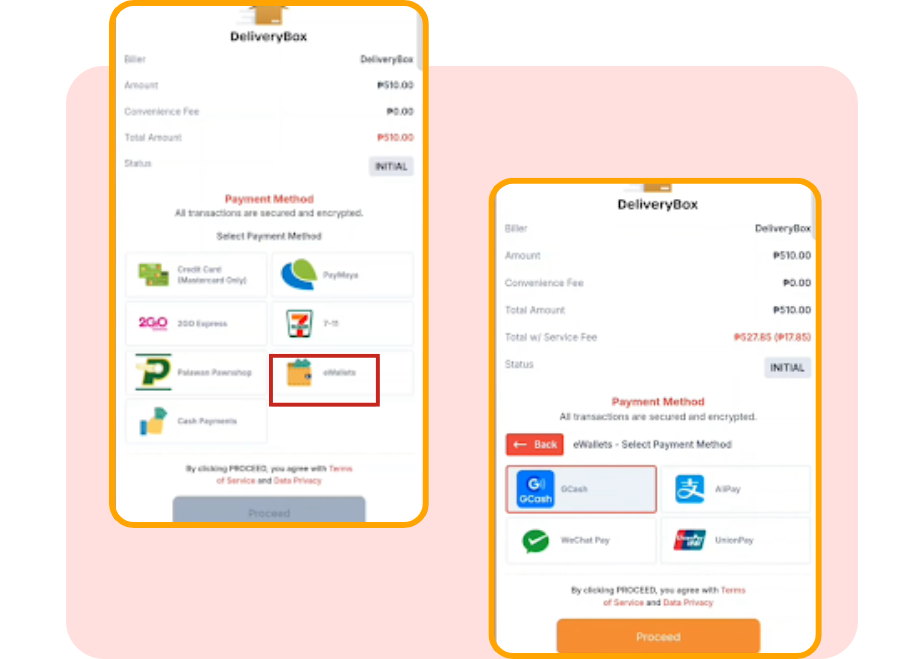
7: Choose Your Payment Method
- You will now see the payment options.
- The total amount shown includes the NBI clearance fee plus the delivery charges.
- If the delivery charges feel too expensive, you may skip door-to-door delivery and choose to pick up your NBI clearance at any NBI branch instead.
- Select your preferred payment method. Available options include:
Example:
7-Eleven adds a ₱1 convenience fee, bringing your total to ₱522.
GCash charges a ₱7.85 fee, making your total ₱528.85.
- If you choose GCash, click Proceed.
- Enter your GCash number, receive the OTP, then input the code.
- Make sure your GCash wallet has the exact amount (₱528.85) to successfully pay for your online NBI clearance.
Regular NBI Clearance Renewal (In person)
Here’s a guide on renewing your NBI clearance issued in 2014. This is not a door-to-door renewal—you must visit an NBI office.
1: Visit the Official Site
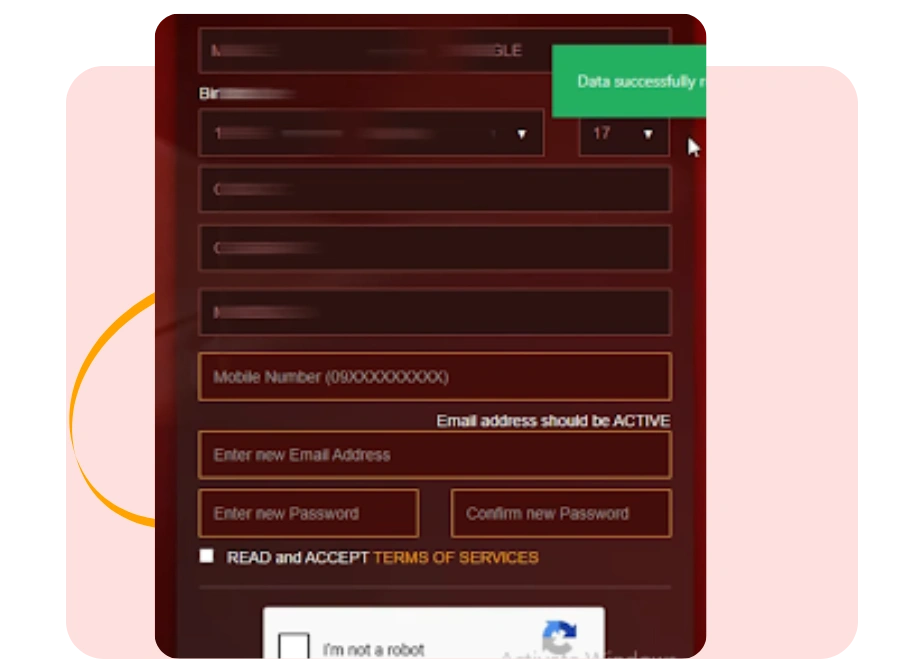
2: Completing Your Registration Details
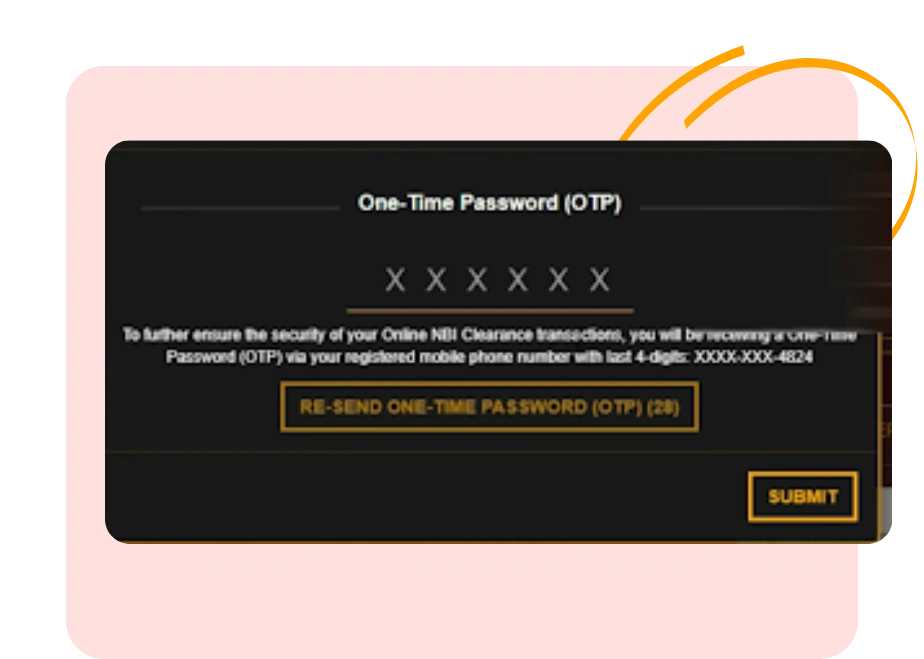
3: OTP Verification
Once the OTP is verified successfully, close the window.
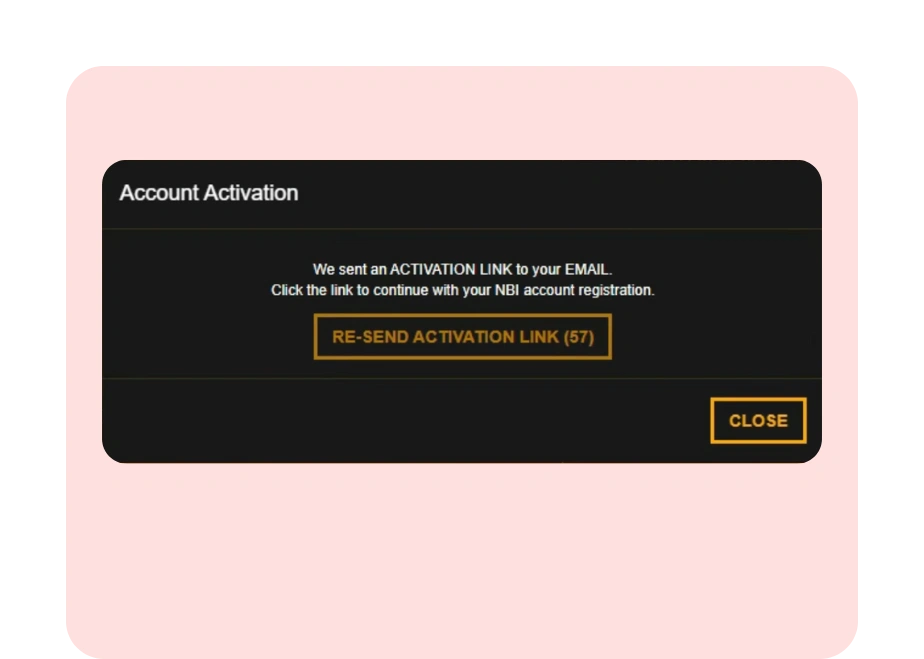
4: Email Activation
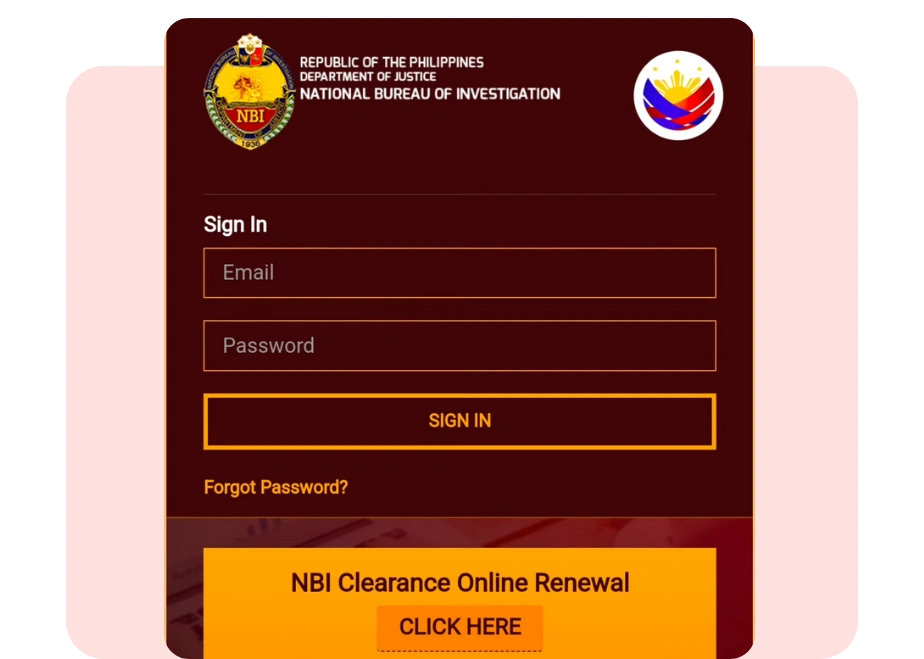
5: Logging In
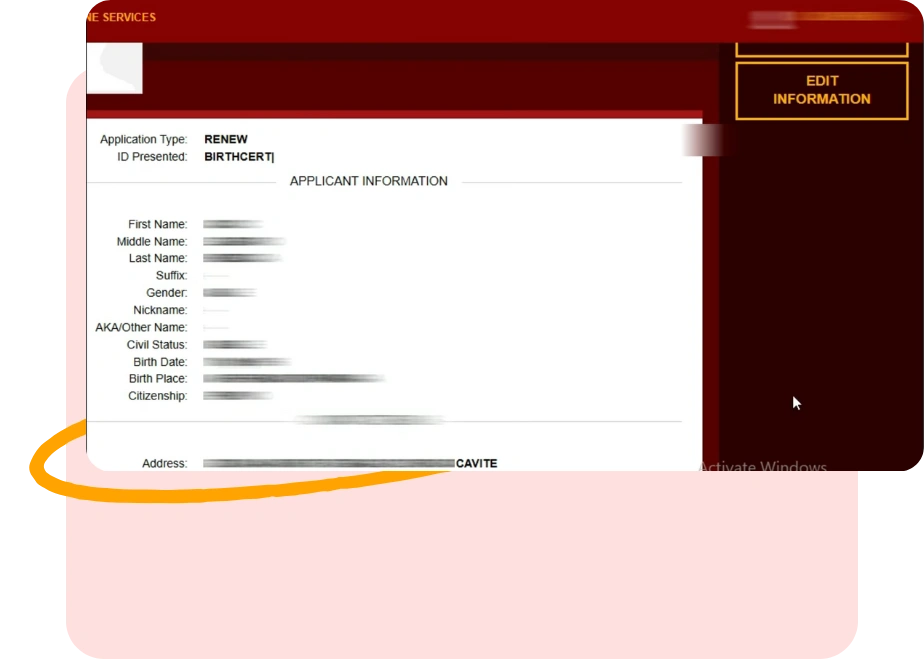
6: NBI Clearance Dashboard
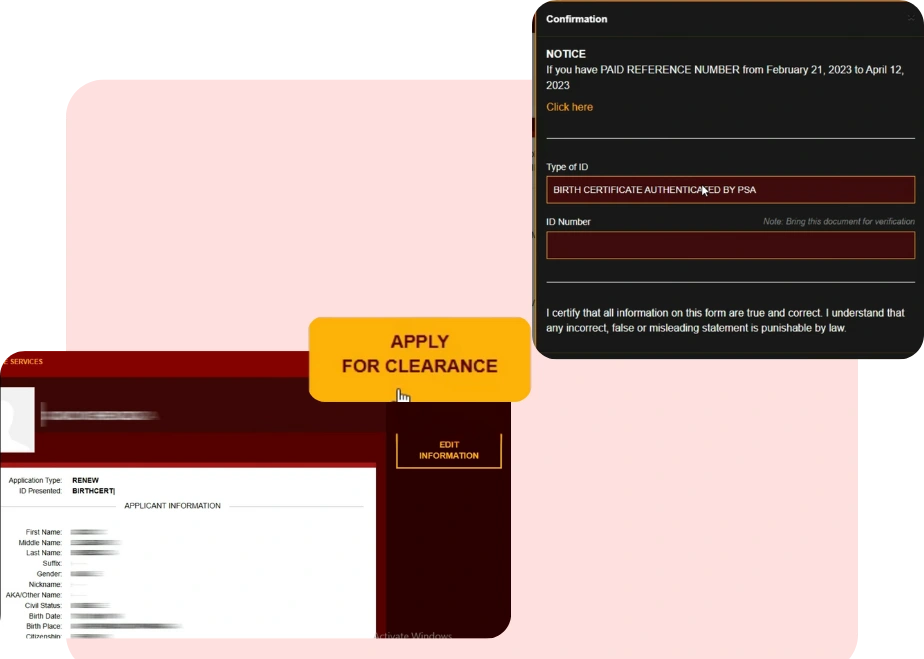
7: Applying for Clearance
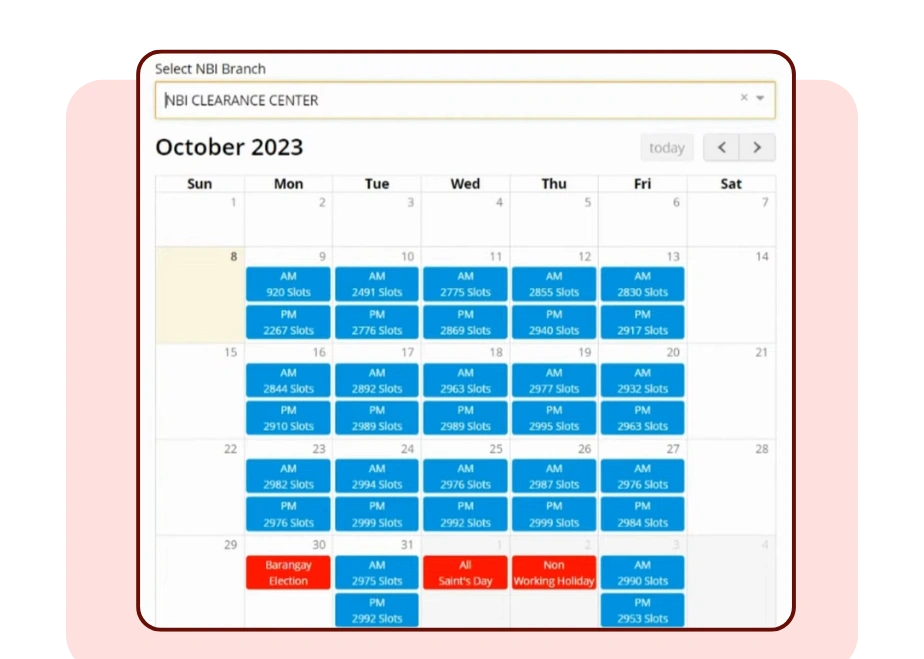
8: Selecting Branch and Appointment Date
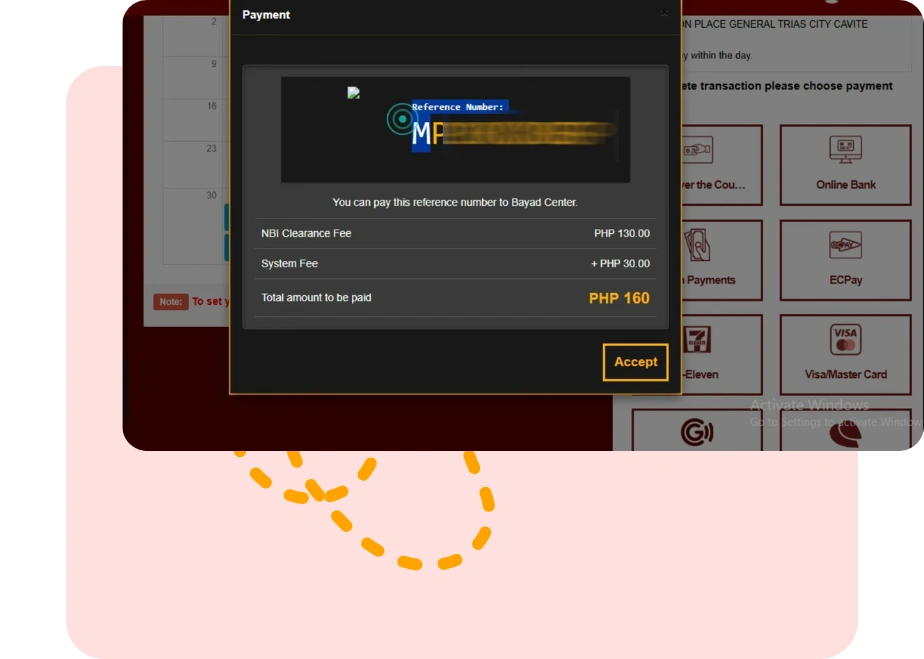
9: Completing Payment and Booking
NBI Clearance Renewal Requirements
Renewing your NBI clearance is a straightforward process, but you must prepare the necessary
documents and information to avoid delays. Here’s what you need:
1. Old NBI Clearance
2. Valid Government-Issued IDs
Bring at least one valid ID. Some offices may require two IDs. Acceptable IDs include:
Make sure your IDs are current and not expired.